In short: A chatbot answers messages. An AI agent pursues a goal: it decides which steps are needed, uses tools such as a calendar, CRM or ticketing system to take them, and checks the result after each step. What separates it from a chatbot is not the quality of its language but its ability to act. For a handful of fixed questions with fixed answers, a rule-based bot is enough. As soon as customers ask in their own words or something needs to get done, the agent is the better choice, in chat as on the phone.
What is the difference between AI agents and chatbots?
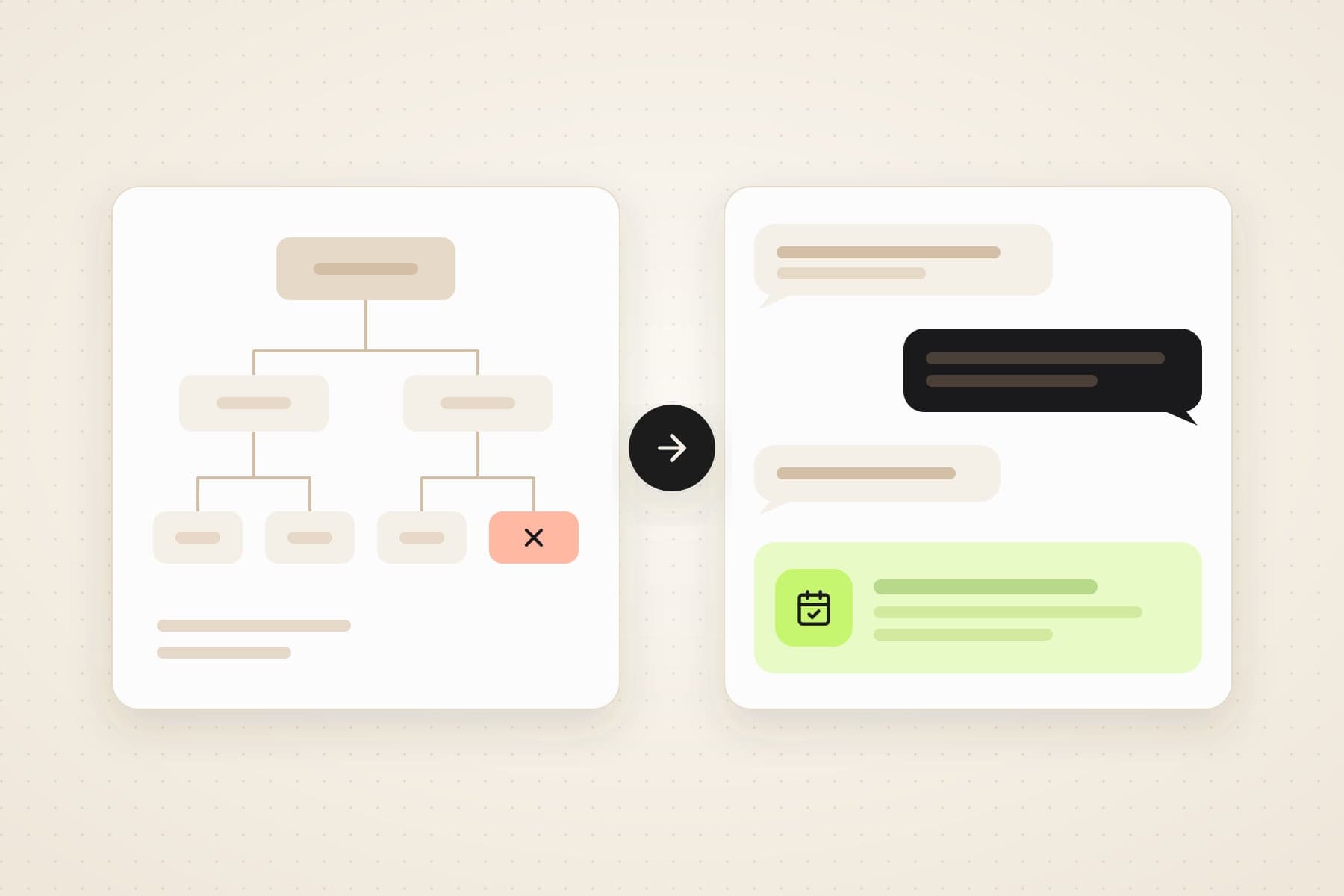
A chatbot reacts. One input leads to one output. With a classic rule-based bot, that output was written in advance and is triggered by a decision tree or a keyword [5]. Typical examples are buttons such as "Opening hours", "Delivery" and "Returns". If a visitor asks "Can I exchange the jacket at your Cologne shop instead?", the bot looks for a keyword. If it finds none, you get the familiar "Sorry, I didn't understand that". An AI chatbot writes the answer itself using a language model and copes with typos and paraphrases. It sounds more natural, but the principle stays the same: it answers, it does not act.
An AI agent works differently. OpenAI describes agents as systems that independently accomplish tasks on a user's behalf [1]. The guide names two core characteristics. First, the language model controls the workflow: it recognises when a task is complete and can stop and hand control back to the user if something fails. Second, the agent has access to tools to gather information and take actions, within defined guardrails. Applications that integrate a language model but do not let it control the workflow are not agents by this definition, and simple chatbots are named explicitly [1].
Anthropic puts it even more plainly: agents are typically just language models using tools based on feedback from their environment, in a loop [2]. IBM adds that chatbots without agent capabilities have no tools, memory or reasoning, and need new input from the user for every step [3].
On a website chat, this means the agent answers the exchange question from your returns policy, looks up the order in your shop if asked, and hands over to a person when the case gets tricky. So the difference is not how well a system writes. It is who decides the next step.
What is an AI agent? The short definition
There is no binding definition. But three features come up again and again at OpenAI, Anthropic and IBM [1] [2] [3]. An AI agent has a goal, namely the task someone gives it. It has tools to gather information and take actions. And it controls which step comes next.
The EU AI Act does not use the term AI agent. In Article 3(1) it defines an AI system: a machine-based system that is designed to operate with varying levels of autonomy, that may exhibit adaptiveness after deployment, and that infers from the input it receives how to generate outputs such as predictions, content, recommendations or decisions that can influence physical or virtual environments [6]. In our understanding, an AI agent in customer service falls under this definition. The disclosure duty in Article 50 therefore applies to it as well, more on that below.
AI agent vs. chatbot: the comparison in one table
| Feature | Rule-based chatbot | AI agent |
|---|---|---|
| Input | buttons, keywords, fixed phrases | free language with typos and follow-up questions |
| Answers | texts written in advance | written from your knowledge base |
| Maintenance | every new case is a new branch in the tree | keep documents and web pages up to date |
| Actions | links and forms | tools: book an appointment, open a ticket, look up an order |
| Typical failure | dead end without an answer | a wrong answer that sounds convincing |
| Predictability | complete, every answer is known | high with a good knowledge base, but never complete |
| Several languages | every language is written separately | one agent can answer in several languages |
| Cost model | effort goes mainly into building and maintaining | usually usage-based, per conversation |
The most important row is the typical failure. A rule-based bot fails visibly: the visitor notices at once that they are stuck. An agent fails quietly: it answers fluently even when the answer is wrong. Both failures can be managed, but with different means. More on that below.
The four building blocks of an AI agent
OpenAI breaks an agent down into three core components: the model, the tools and the instructions [1]. In customer service, a fourth building block joins them: the route to a person.
1. Model and instructions. The language model understands the request and decides. The instructions define what the agent is responsible for, what tone it uses and what it must not do.
2. Tools. OpenAI distinguishes three types [1]. Data tools retrieve information, such as an order status or free appointment slots. Action tools change something, for example adding an appointment or handing a customer service ticket over to a person. Orchestration tools connect several agents with each other.
3. The loop of reasoning and acting. In 2022, Yao and colleagues described an approach called ReAct, in which a language model generates reasoning traces and actions in an interleaved manner [4]. This loop is what makes an agent. An example: a customer writes "Can I move my Thursday appointment to next week?". The agent finds the existing appointment, checks free slots next week, suggests two, rebooks after confirmation and reports back. Each step depends on the result of the previous one.
4. Guardrails and handover. OpenAI explicitly advises planning for human intervention. Typical triggers are repeated failure and high-risk actions such as cancelling orders or making payments [1].
Workflow or agent: who decides the next step?
Not everything sold as an AI agent is one in the strict sense. Anthropic separates two designs [2]. Workflows are systems where language models and tools are orchestrated through predefined code paths. Agents are systems where the language model dynamically directs its own processes and tool usage.
Both have their place. A workflow is more predictable and easier to test. According to Anthropic, an agent pays off where it is difficult or impossible to predict the number of steps required [2]. That is often the case in customer service: one caller only wants the opening hours, the next wants to move an appointment, have an invoice explained and add a new delivery address.
In practice, ask every vendor who decides the next step. If it is a hard-wired flow in which a language model merely phrases the texts more nicely, you are looking at an AI chatbot with a good tone of voice. That may be perfectly fine. It just is not an agent.
AI agent, AI assistant, chatbot: three terms sorted
The terms are not standardised. This is how we use them:
| Chatbot | AI assistant | AI agent | |
|---|---|---|---|
| Who decides | the decision tree | the person using it | the agent, within limits |
| Typical task | answer fixed questions | draft, summarise, research | complete a task for a customer |
| Tools | none, or links | usually few, triggered by the person | calendar, CRM, ticketing system, shop |
| Counterpart | customer | employee | customer or employee |
| Example | buttons "Delivery" and "Returns" | draft of a reply email | move an appointment and confirm it |
An AI assistant supports a person who checks the result and uses it. An AI agent works through what a customer wants on its own, and only comes back to you when it reaches a limit.
When is a rule-based chatbot enough?
Not every website needs an agent. In its guide, OpenAI explicitly advises checking whether a use case clearly meets the criteria before building an agent. Otherwise, a deterministic solution may suffice [1]. Anthropic recommends finding the simplest solution possible and only increasing complexity when needed [2].
A click-through bot is usually enough when
- your visitors keep asking the same five to ten questions,
- the answers rarely change,
- the bot mainly needs to point people to the right page or a form,
- every answer has to be approved word for word, for example where wording is strictly regulated,
- nobody expects a real answer outside business hours.
An AI agent pays off when
- visitors ask in their own words and the variations no longer fit into a tree,
- the answer depends on data, such as the order status or free appointment slots,
- your content already exists in documents and on your website and should not be maintained a second time as a dialogue tree,
- you serve visitors in several languages,
- enquiries arrive in the evening and at weekends that would otherwise wait until Monday.
The same ground rule applies to both: there has to be a way out to a person. The US Consumer Financial Protection Bureau describes so-called doom loops. Customers end up in continuous loops of automated answers without an offramp to a member of staff. This often happens when the issue falls outside the bot's limited capabilities [5]. A bot without handover annoys exactly the customers who need help most urgently.
The risks of an AI agent and how to limit them
A language model works with probabilities. The taskforce of the European data protection authorities described this in 2024 using ChatGPT as the example: due to the probabilistic nature of the system, the model may produce biased or made-up outputs. At the same time, end users are likely to take the outputs as factually accurate [9].
A case from Canada shows how expensive a wrong bot answer can get. Air Canada's chatbot told a customer he could book at full price and claim back the difference to a reduced fare within 90 days. That was not true. On 14 February 2024, the Civil Resolution Tribunal of British Columbia ordered the airline to pay the fare difference of 812 Canadian dollars, plus costs and interest. Air Canada had argued that the chatbot was a separate legal entity responsible for its own actions. The tribunal called this remarkable and rejected it. The airline is responsible for the information on its website [10].
The lesson applies to every bot, rule-based or AI: you are liable for what it says. Four measures limit the risk.
- A clean knowledge base. Retrieval-augmented generation, RAG for short, connects a language model to a searchable document collection [8]. The agent then answers from your material instead of general model knowledge. This lowers the risk of made-up answers but does not rule it out. The agent repeats an outdated price from an old PDF just as convincingly as a current one.
- Clear instructions. Define what the agent must not promise: discounts, goodwill gestures, legal assessments.
- Handover for tricky cases. Repeated failure and high-risk actions belong with a person [1].
- Read the conversations. In the first weeks, someone should review the transcripts regularly and close gaps in the knowledge base.
There is a legal limit too. Under Article 22 GDPR, people have the right in principle not to be subject to a decision based solely on automated processing that produces legal effects concerning them or similarly significantly affects them. The German data protection conference points this out explicitly in its guidance on AI [11]. An AI agent may book appointments and answer questions. A person should make the final call on an application or a cancellation.
How much autonomy makes sense?
Autonomy is not an end in itself. For most organisations, levels work well:
- Information. The agent answers questions from your knowledge base and does not act.
- Preparation. The agent records the request and hands over to a person who decides.
- Low-risk execution. The agent books appointments, opens tickets and looks up orders.
- High-risk execution. Cancellations, credits and payments. Here OpenAI advises handing the decision to a person [1].
OpenAI also recommends starting small, validating with real users and growing capabilities over time [1]. An agent that first only books appointments, and does so reliably, is worth more than one that is meant to do everything.
Whatever the level, the EU AI Act applies. Under Article 50(1), providers must design AI systems that interact directly with people so that those people are informed they are dealing with an AI [6]. In the EchoCall chat widget, this notice appears automatically, in German, English and French. For phone agents, you write it into the first message yourself, and the editor reminds you with an info box.
How much does an AI agent cost compared with a chatbot?
With rule-based bots, the cost lies mainly in building and maintaining the dialogue trees. Every new question, every price change and every additional language means manual work. Market prices vary widely, and we know of no reliable average figure.
AI chat agents are usually billed by usage. At EchoCall you book a monthly package of chat conversations [7]:
| Chat conversations per month | Price (net) | Works out per conversation |
|---|---|---|
| 100 | €40 | €0.40 |
| 300 | €120 | €0.40 |
| 1,000 | €400 | €0.40 |
| 5,000 and more | €1,000 | €0.20 at 5,000 |
To try it out there is a trial: 30 voice minutes and 30 chat conversations for 14 days, with no credit card required.
Since October 2026, visitors can also speak instead of type in the EchoCall widget. A notice card appears before the microphone starts. The minutes come from the voice allowance, which starts at €75 for 250 minutes, or €0.30 per minute.
Worked example: when the agent pays for itself
The following values are assumptions, not measurements. Use your own figures.
- Your website has 300 chat conversations a month, so the €120 package.
- The agent resolves half of them on its own. Your team takes over the other half in the Live Inbox.
- A member of staff would need four minutes on average for such a conversation.
| Item | Value |
|---|---|
| Conversations the agent resolves on its own | 150 |
| Staff time saved | 150 × 4 minutes = 600 minutes = 10 hours |
| Package price | €120 |
| Cost per conversation resolved by the agent | €120 ÷ 150 = €0.80 |
| Hourly cost at which the package breaks even | €120 ÷ 10 hours = €12 |
If an hour of staff time costs you more than €12, the time saved in this example covers the package price. If the agent resolves only 20 per cent of conversations, with all other assumptions unchanged, the saving drops to 4 hours and the threshold rises to €30 per hour. Not included are your time for setup and maintenance, and the value of enquiries answered in the evening instead of on the next working day.
On the phone: IVR menu versus voice agent
The same difference applies to the phone. The classic menu with "Press 1 for..." is the chatbot of the telephone: fixed paths, fixed announcements. A voice agent turns speech into text, lets a language model decide, answers with a synthetic voice and uses the same tools as a chat agent.
At EchoCall, an AI voice agent has its own system tools for this: end the call, detect voicemail, send keypad tones, detect the caller's language and transfer to a phone number. On top come actions such as an appointment in Google Calendar or Cal.com, or an entry in HubSpot. The voice agent starts at €75 a month for 250 minutes, or €0.30 per minute [7]. Phone numbers and telephony costs are not included.
What this looks like day to day is covered in the AI phone agent guide. You can find the chat agent under AI chat agent.
Checklist: agent or chatbot?
- Do the wording and topics of requests vary a lot? Then that points to an agent.
- Should something get done, such as an appointment, a status check or a ticket? Then the agent needs a tool for it.
- Does the number of steps depend on the individual case? Then an agent makes more sense than a rigid flow.
- Do many requests come in by phone? Then a voice agent belongs on the list, not just a chat.
- Are there only a few fixed questions, no connected systems and one language? Then a simple chatbot is enough.
- Are there high-risk actions? Then plan the handover to a person from the start.
If you answer yes to several questions, try an agent with a single tool before you build more.
How to switch from a chatbot to an AI agent
- Collect the questions. Export what your old bot failed to understand, and read the emails and chat transcripts of the past few weeks. The 20 most frequent requests are your starting list.
- Fill the knowledge base. At EchoCall you upload PDF, TXT, Markdown or CSV files, add single URLs with a re-read interval, have the whole website crawled with a refresh interval, or write free text. Each agent has its own knowledge base.
- Start with one action. According to OpenAI, customers typically achieve greater success with an incremental approach. The guide recommends starting with a single agent and adding tools step by step [1]. Typical first actions are an appointment in Google Calendar, Outlook or Cal.com, a ticket in Zendesk or Freshdesk, or a look at an order in Shopify or Shopware 6.
- Decide on handover. Your team takes over the conversations the agent should not handle in the Live Inbox.
- Install it. The widget goes onto any website with one script snippet, and there is a plugin for WordPress. A domain whitelist defines which domains it may run on.
- Check the AI notice. The chat widget shows it automatically; for a phone agent it belongs in the first message [6].
- Test it. On the demo page, an agent is built from your website address and your public pages in about 20 seconds, and you can write to it or call it in the browser without signing up. If you want to continue after that: the trial covers 30 voice minutes and 30 chat conversations for 14 days, with no credit card required. Our team answers questions via the contact form.
Frequently asked questions
What is an AI agent, in simple terms?
An AI agent is a program that gets a task done for you instead of only answering questions. It understands what someone wants, decides on the necessary steps itself and uses other systems to take them, such as a calendar. If it gets stuck, it hands over to a person.
What is the difference between AI agents and chatbots?
A chatbot answers messages, either with pre-written texts or with the help of a language model. An AI agent pursues a goal, decides on the next steps itself and uses tools such as a calendar, CRM or ticketing system to complete a task. It hands over to a person when it gets stuck or when an action is too risky.
What is the difference between a chatbot and an AI chatbot?
An AI chatbot uses a language model and writes its own answers instead of playing back fixed texts. That is why it copes with paraphrases and typos. It only becomes an agent once it can act as well, meaning it has tools and controls the flow of a conversation itself.
What is the difference between an AI agent and an AI assistant?
An AI assistant supports a person who makes the decision and uses the result, for example when drafting an email. An AI agent completes a task itself, such as moving an appointment for a customer, and stays within defined limits while doing so. The terms are not standardised, and vendors use them differently.
When is a rule-based chatbot enough?
When your visitors ask a few questions that are always the same, the answers rarely change and the bot mainly needs to point to pages or forms. Where every wording has to be approved in advance, a decision tree is also the safer choice. In every case, there must be a way out to a person.
How much does an AI agent cost compared with a chatbot?
Rule-based bots mainly cost staff time for building and maintenance. AI chat agents are usually billed per conversation. At EchoCall, 100 chat conversations a month cost €40, 300 cost €120, 1,000 cost €400 and 5,000 or more cost €1,000, all net. To try it out there are 30 voice minutes and 30 chat conversations for 14 days, with no credit card required.
Can an AI agent give wrong answers?
Yes. Language models can produce plausible but wrong answers. A well-maintained knowledge base, clear limits in the instructions and handover to your team for tricky topics lower the risk. It cannot be ruled out completely. Prices, deadlines and commitments should therefore only come from up-to-date material.
Can I switch from my existing chatbot?
Yes. The answers from your old bot and your FAQ pages become the agent's knowledge base. At EchoCall you upload files such as PDF, TXT, Markdown or CSV, add single URLs, have the website crawled or write free text. The effort shifts: instead of building every path by hand, you maintain the knowledge base, write clear instructions and test each tool as you add it.
Do you need programming skills to use an AI agent?
Not with EchoCall. You set up the knowledge base, tools and handover in the EchoHub. The chat agent goes onto your website with a script snippet or the WordPress plugin. If you want to connect your own software, you use the REST API.
Does an AI agent have to identify itself as AI?
Yes. Under Article 50(1) of the AI Act, people must be informed that they are interacting with an AI, unless this is obvious [6]. In the EchoCall chat widget, the notice appears automatically. For phone agents, you write it into the first message yourself. The editor shows an info box for this, and the help centre has example sentences.
Where is the data stored at EchoCall?
EchoCall runs the platform in IONOS data centres in Frankfurt and Karlsruhe. The EchoHub also has a zero-PII mode. For your own use case, it is still worth checking which personal data your agent actually needs.
Sources
- OpenAI, A practical guide to building agents: cdn.openai.com
- Anthropic, Building effective agents (19 December 2024): anthropic.com
- IBM, What Are AI Agents?: ibm.com
- Yao et al., ReAct: Synergizing Reasoning and Acting in Language Models (2022): arxiv.org
- Consumer Financial Protection Bureau, Chatbots in consumer finance (6 June 2023): consumerfinance.gov
- Regulation (EU) 2024/1689 (AI Act), Articles 3(1) and 50: eur-lex.europa.eu
- EchoCall pricing: echocall.de/en/pricing
- Lewis et al., Retrieval-Augmented Generation for Knowledge-Intensive NLP Tasks (2020): arxiv.org
- European Data Protection Board, Report of the work undertaken by the ChatGPT Taskforce (May 2024): edpb.europa.eu
- Moffatt v. Air Canada, 2024 BCCRT 149, case summary: wikipedia.org
- Datenschutzkonferenz (German data protection conference), Orientierungshilfe Künstliche Intelligenz und Datenschutz, version 1.0 (6 May 2024), in German: datenschutzkonferenz-online.de
All links were checked on 6 October 2026, source 11 on 21 October 2026. This post is not legal advice.
Revised in October 2026: we removed claims we could not source and merged our earlier posts "AI Chat Agents vs. Traditional Chatbots" and "What Is an AI Agent?" into this one.